Serve Smarter with Filevine Taskflows & Deadline Chains
Co-presented by Vineskills and Proof
If your firm uses Filevine, you may not be fully tapping into Taskflows and Deadline Chains to automate litigation tasks — including service of process.
This guide from Vineskills and Proof shows how to add serve requests into your workflows. With Proof’s Filevine integration, you can serve documents nationwide, receive affidavits, and chat directly with servers — all without leaving your case management system.
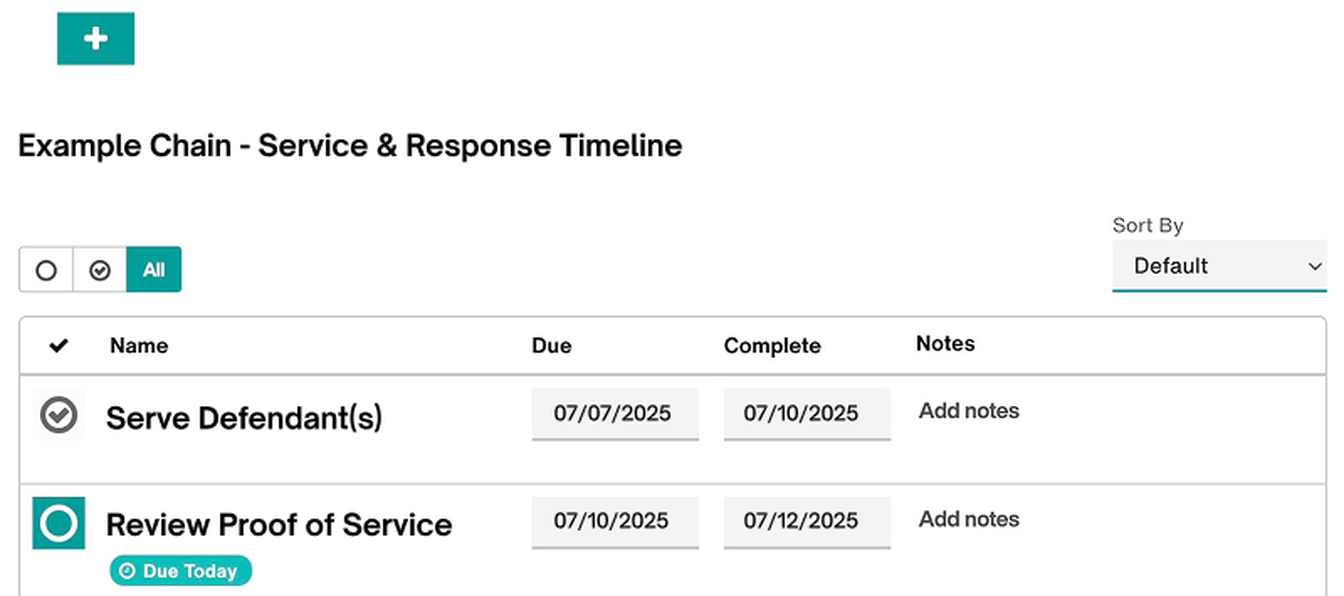
Taskflows + Deadline Chains = A Smarter Way to Work
Here’s a quick overview of what each tool does inside Filevine:
Taskflows are automated to-do lists triggered by case activity — like when a case enters a new phase, a task is completed, or a button is clicked. They’re used to assign work to the right people at the right time, keeping your process consistent and reducing manual task creation.
Deadline Chains are calendaring tools that automatically generate a series of due dates based on a key “anchor” event — such as the date a complaint is filed or a document is served. They help litigation teams stay compliant with court deadlines, without the need for manual calculation or entry.
Benefits of Taskflows:
Automate assignments, including File complaint, Prepare summons, and Send to Proof when a phase changes or a task is completed.
Seamlessly pass assignments back and forth between Roles simply by completing a task.
Eliminate the fear of missing something. Your trusted taskflows will be there to trigger your repeat follow-ups and keep you on track.
Benefits of Deadline Chains:
Trigger key litigation dates (such as answers, discovery, or arbitration) automatically off a single anchor date, including when Proof completes process service.
Set it and forget it, until a continuance is filed. You can move an anchor date, and Filevine will automatically honor your templated chain of dates by recalculating each one.
“Once I realized I could enter one or two dates and have everything trigger and auto-add to my calendar, I was thrilled.”
-Sarah, Litigation Paralegal & Vineskills Trainer
To learn more about Taskflows and Deadline Chains, watch this video from the Vineskills Optimizer team.
Add Proof Serve Requests Into Your Workflow
Using Taskflows and Deadline Chains is a best practice for consistent, deadline-driven litigation. The next step is integrating serve requests with Proof—by adding them into your Taskflows and triggering key follow-ups through Deadline Chains—to ensure service of process is handled smoothly and without the risk of missed deadlines.
In a Taskflow:
Auto-create a task with instructions and a direct link to Proof’s platform, assigned to your case staff.
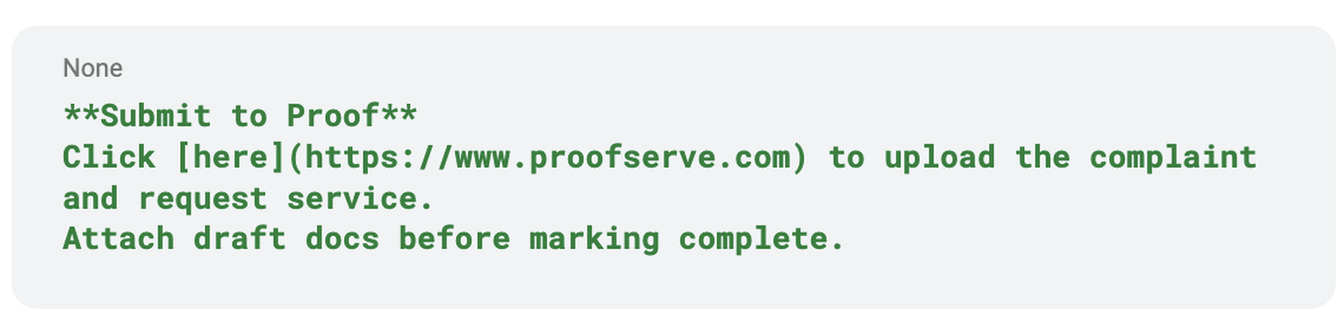
Use tag (#serviceofprocess) and assign by role so Filevine routes it correctly.
In a Deadline Chain:
Use Proof’s service completion date as your anchor. Trigger follow-up deadlines such as answer due dates, initial disclosures, or local discovery deadlines — automatically.
Rename chains (e.g., “Smith – Complaint Served”) so they appear clearly in your project calendar.
Want Help Building This in Filevine?
This is where Vineskills shines.
As Filevine certified experts, they help firms:
Design & build custom Taskflows and Deadline Chains
Create jurisdiction-specific litigation sections
Use judicial calendars and deadline groups the right way
Train your team on best practices
Why Proof?
Proof is a nationwide service-of-process platform that integrates seamlessly into litigation workflows. Upload your documents, select your serve type, and let our experienced network take it from there — with real-time tracking and court-ready affidavits.
Nationwide coverage, local knowledge
Transparent pricing
Direct contact with your server