4 Ways to Set Your Process Server Up for Success
Every failed service attempt costs you time, money, and momentum on your case. The good news is: Some of the factors that determine whether or not service is successful on the first try are things you control.
Here are four things you can do inside the Proof platform to dramatically improve your chances of first-attempt service.
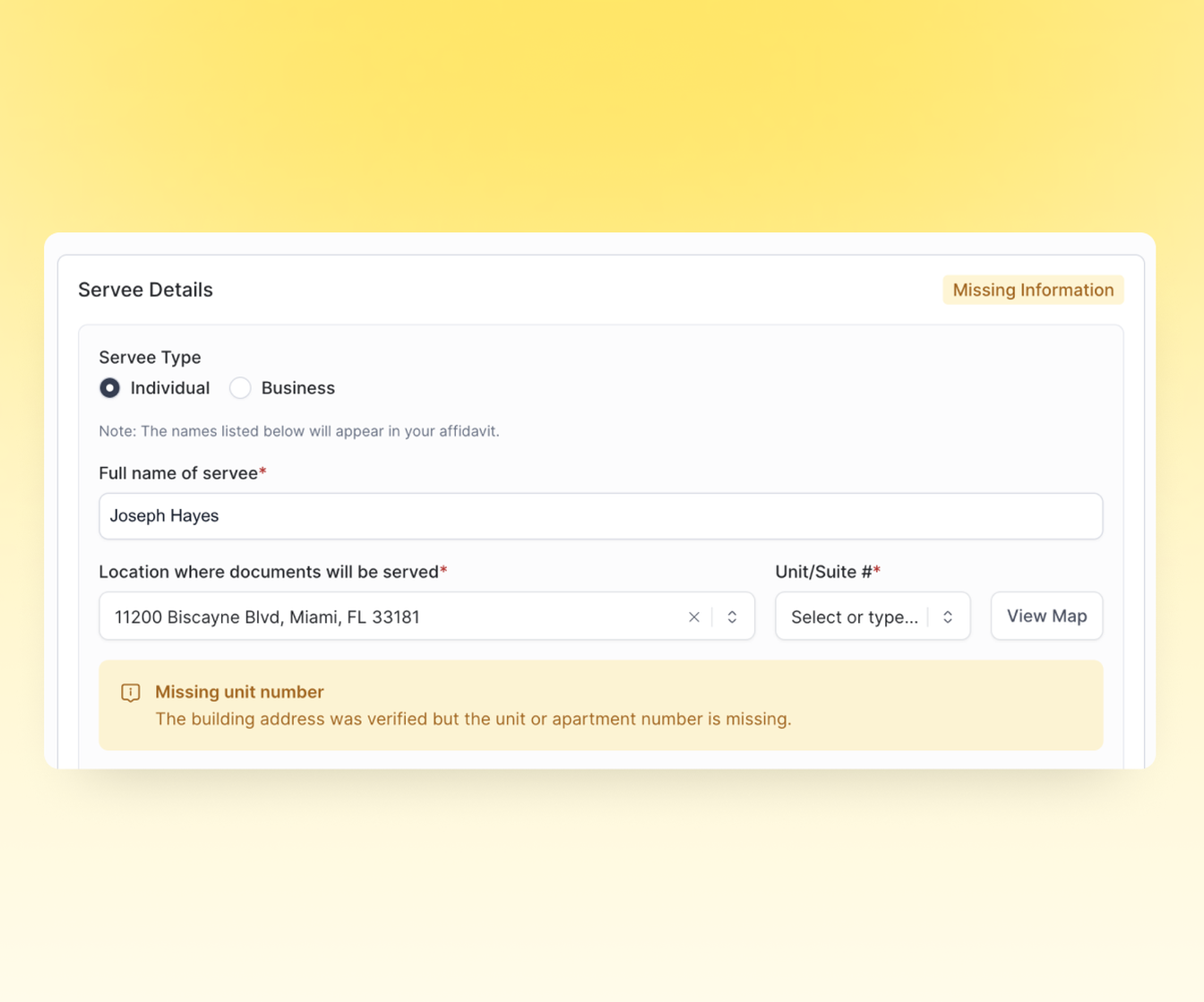
1. Use Address Intelligence to catch problems before they start
When you enter a service address in Proof, Address Intelligence automatically analyzes it against known-address databases. If something's off—a missing unit number, a misspelling, or an address that doesn't match any known location—you'll see an alert right there on the screen, before you submit the serve.
That means fewer wasted attempts on addresses that were never going to work. Instead of finding out three days later that the server couldn't locate the building, you can fix the issue in seconds and submit a serve request that's accurate from the start.
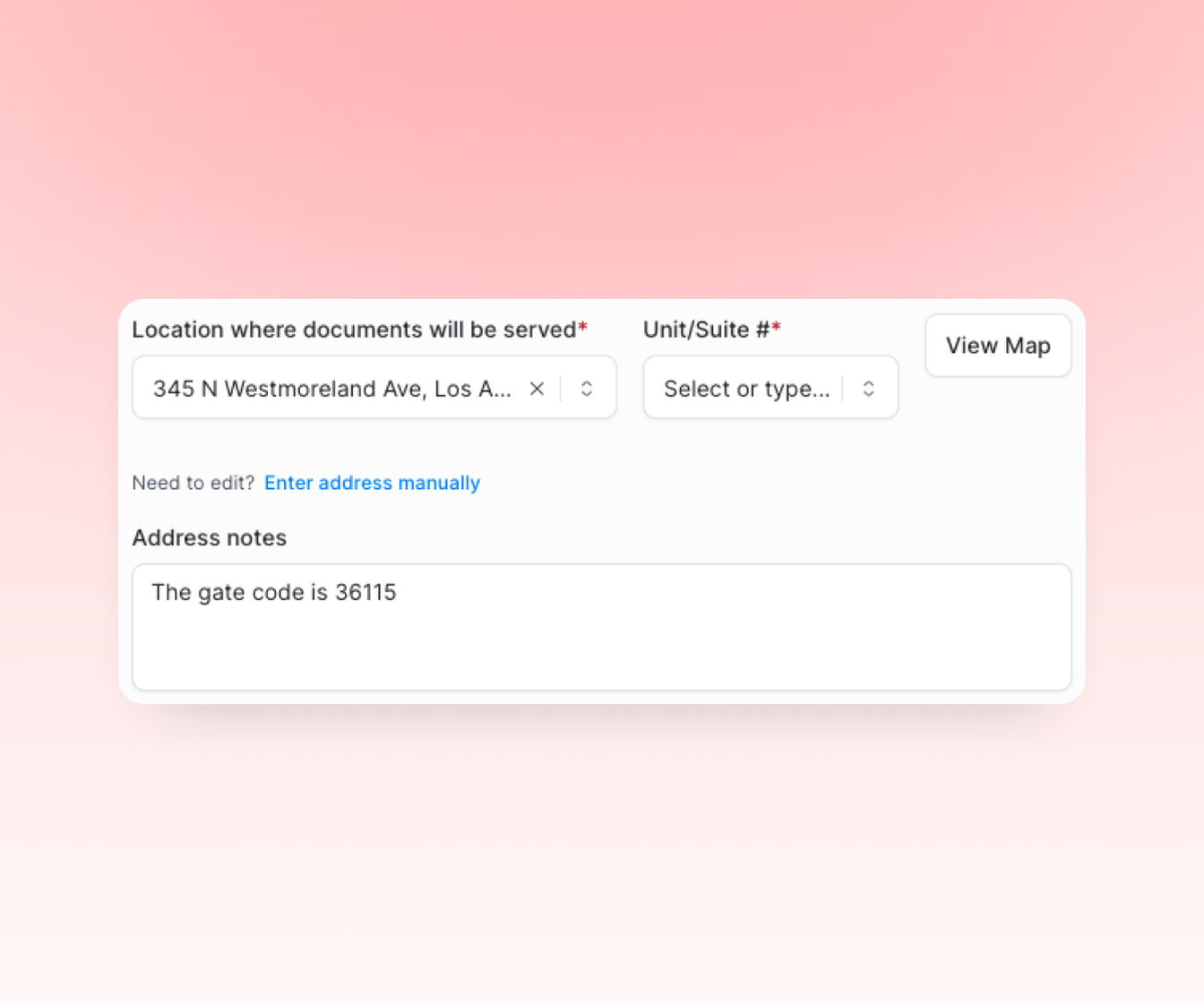
2. Add gate codes, directions, and location details in the Address Notes
There's a small Address Notes field right below the service address. This is where you can add the details that don't fit in a standard address line, but make all the difference when someone shows up in person with your documents.
Gate codes. Parking instructions. It's the third building on the left past the leasing office. Ask the concierge for suite 4B—it's not listed in the lobby directory.
If you know something about the location that would help a person find it on foot, put it here.
3. Include evasion details in the Additional Notes
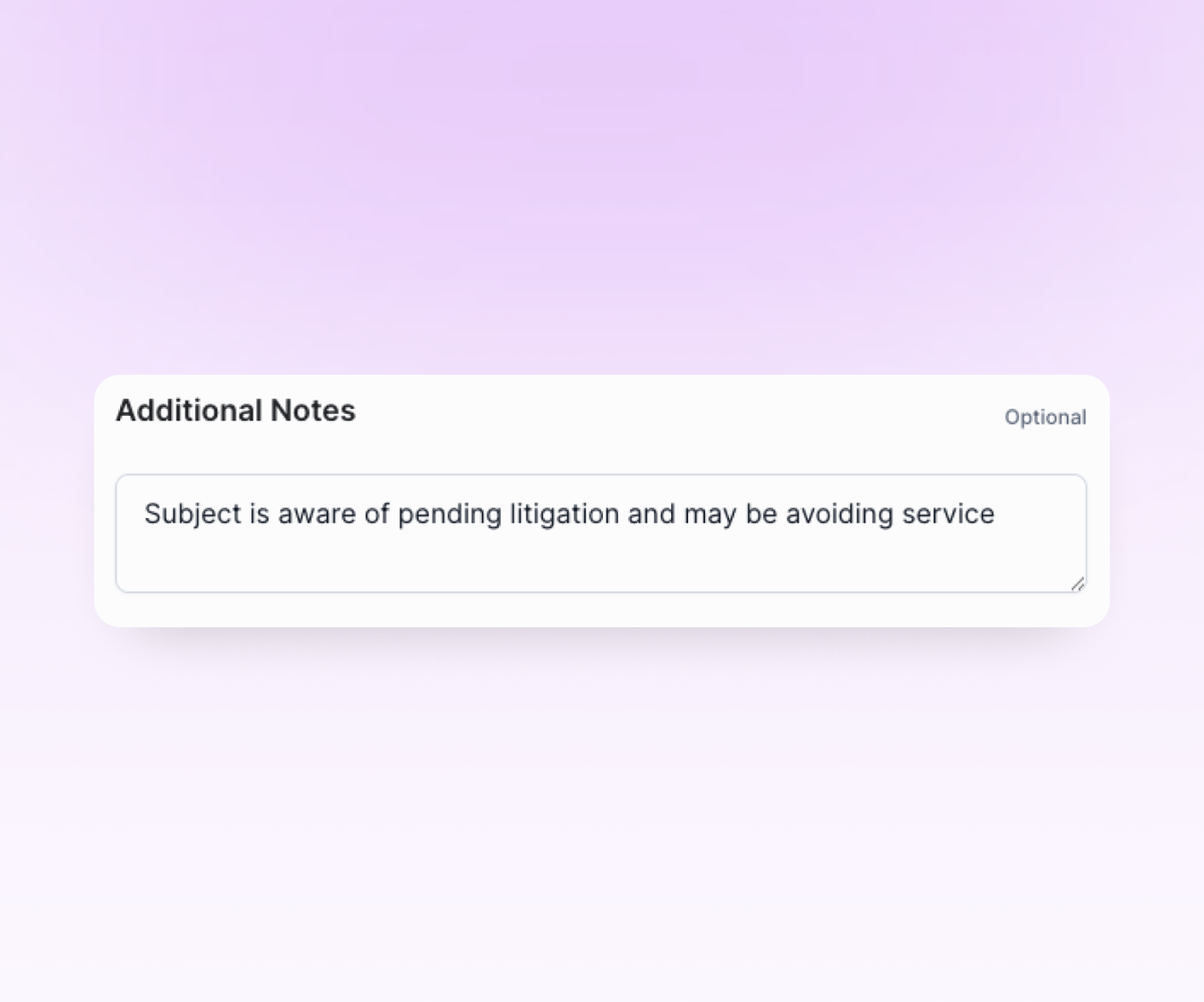
If you already know the person is ducking service, say so—and give your server something to work with. The Additional Notes section at the bottom of the serve submission form is the place for this information.
Examples of useful background: Make, model, and license plate of their vehicle. The fact that they work from home Monday through Friday. That a neighbor confirmed they leave for the gym at 6 a.m. Even something as simple as "Subject is aware of pending litigation and may be avoiding service" gives your server a heads-up.
The more your server knows going in, the less likely they are to burn an attempt by knocking on a door at the wrong time.
4. Upload a photo and physical description of the person being served.
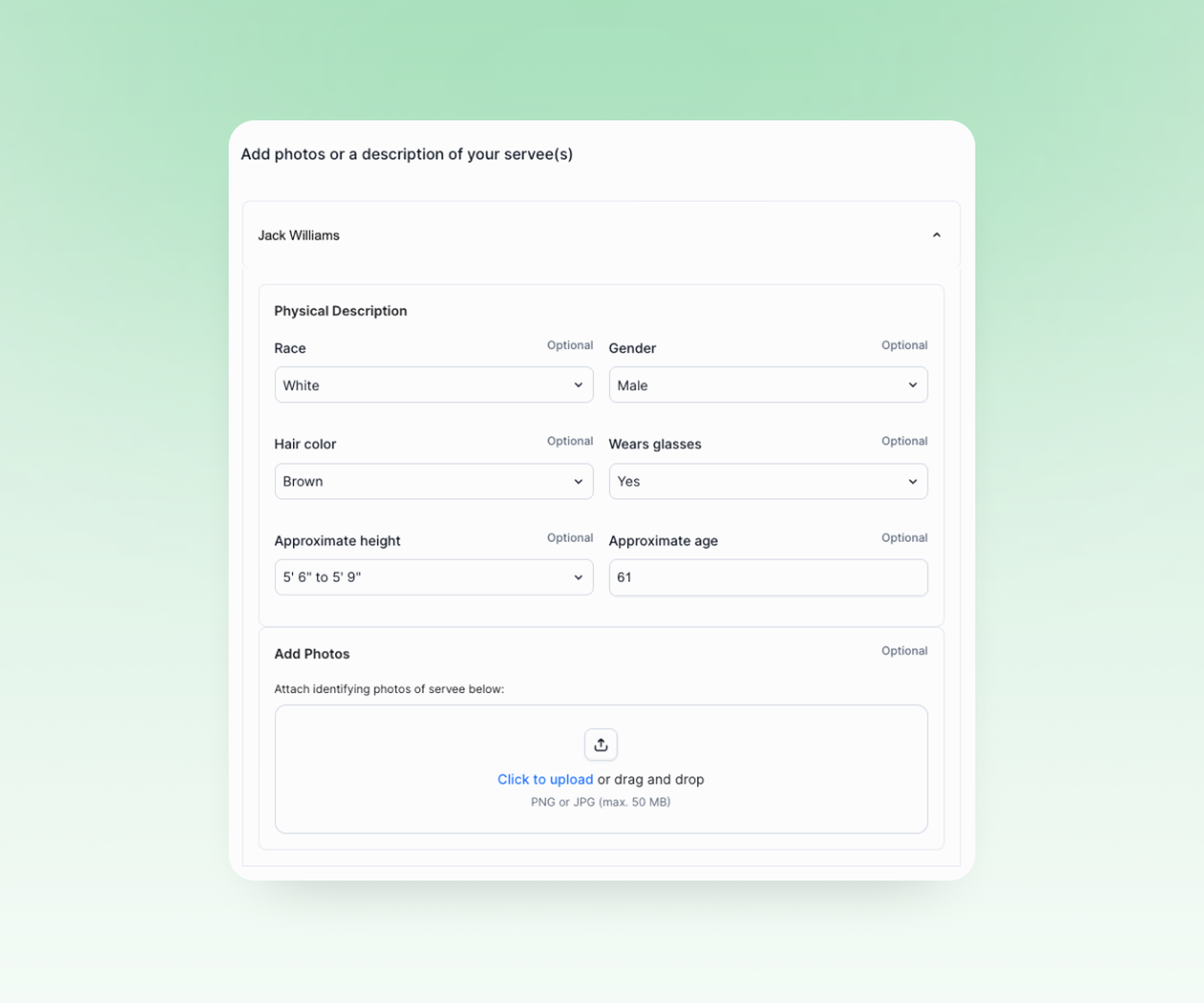
After you submit your serve request, you can go back into the serve overview and add a physical description from a dropdown menu and upload a photo of the individual.
This matters more than you might think. Servers are often approaching people they've never seen before at addresses where different people may answer the door. A photo and description help your server confirm they've got the right person—and help avoid situations where someone at the address claims the individual doesn't live there.
The bottom line
Service of process has always been partly a logistics problem, but it doesn’t have to be. The difference between a first-attempt success and a third-attempt slog often comes down to how much useful information your server has before they head out.
These four steps take less than a minute combined. But they can save you days of follow-up, avoid extra fees, and lessen the stress of a deadline creeping closer while you wait on a re-serve.